The Best HDR Image File Types for WordPress: A Simple Guide for Website Owners
When it comes to creating a professional-looking website, images play a huge role. High-quality photography can make your products look more attractive, your services appear more credible, and your brand stand out from the competition.
In recent years, a new type of image technology called HDR (High Dynamic Range) has become increasingly popular. Many modern smartphones, cameras, tablets and monitors can now capture and display HDR images, producing brighter highlights, deeper shadows and richer colours than traditional photographs.
However, simply uploading an HDR image to your WordPress website does not guarantee that visitors will see those benefits.
In fact, WordPress often removes important HDR information during the upload process unless it has been configured correctly.
This guide explains HDR in simple terms, explores the most common image file formats, and helps you choose the best option for your WordPress website.
What is HDR?
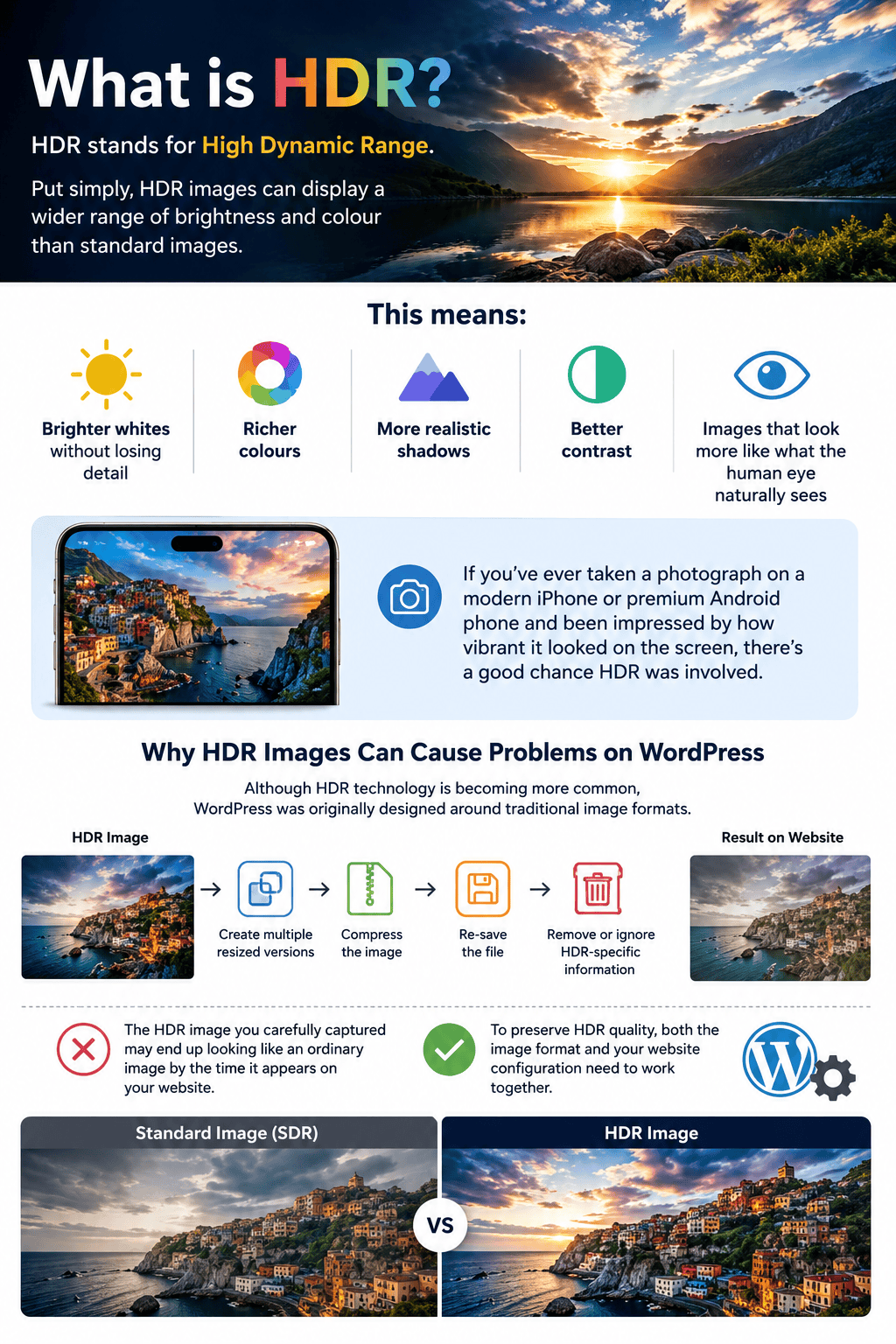
HDR stands for High Dynamic Range.
Put simply, HDR images can display a wider range of brightness and colour than standard images.
This means:
- Brighter whites without losing detail
- Richer colours
- More realistic shadows
- Better contrast
- Images that look more like what the human eye naturally sees
If you’ve ever taken a photograph on a modern iPhone or premium Android phone and been impressed by how vibrant it looked on the screen, there’s a good chance HDR was involved.
Why HDR Images Can Cause Problems on WordPress
Although HDR technology is becoming more common, WordPress was originally designed around traditional image formats.
When you upload an image, WordPress will typically:
- Create multiple resized versions
- Compress the image
- Re-save the file
- Remove or ignore HDR-specific information
As a result, the HDR image you carefully captured may end up looking like an ordinary image by the time it appears on your website.
To preserve HDR quality, both the image format and your website configuration need to work together.
Understanding HDR Image Formats
Not all image file formats handle HDR equally well. Some are excellent, while others have significant limitations.
Let’s look at the most common options.
AVIF – The Best All-Round Choice
AVIF is currently one of the most advanced image formats available for websites.
It was designed with modern web performance in mind and supports the key features required for HDR imagery.
Benefits include:
- Excellent image quality
- Smaller file sizes
- Support for HDR content
- Rich colour reproduction
- Fast website performance
Because AVIF files are often significantly smaller than traditional JPEGs, they can improve page loading speeds whilst still maintaining excellent visual quality.
For most new WordPress websites, AVIF is currently the recommended HDR format.
Best For:
- Product photography
- Marketing images
- Portfolio websites
- Modern business websites
JPEG – The Safe and Compatible Option
JPEG has been around for decades and remains one of the most widely supported image formats in the world.
Modern HDR JPEGs can include something called a gain map. This allows the image to display in HDR on compatible devices whilst still appearing correctly on older screens.
Benefits include:
- Excellent compatibility
- Reliable display across devices
- Familiar workflow
- Good HDR support when gain maps are used
The downside is that JPEG files are usually larger than AVIF files and cannot achieve the same colour accuracy.
Best For:
- Websites serving a wide range of users
- Situations where compatibility is critical
PNG – Great Quality but Poor for HDR Websites
Many people assume PNG is the highest-quality image format because it supports large amounts of image data.
Whilst PNG can technically store HDR information, it is not particularly suitable for HDR website delivery.
The main problems are:
- Very large file sizes
- Poor browser support for HDR rendering
- Slower website performance
PNG remains excellent for logos, graphics and illustrations but is not usually the best choice for HDR photography.
Best For:
- Logos
- Diagrams
- Transparent graphics
WebP – Excellent for Standard Websites
WebP has become extremely popular because it produces small file sizes whilst maintaining good image quality.
However, WebP was not specifically designed for HDR delivery.
Whilst it performs brilliantly for normal website images, it lacks many of the features needed to fully support HDR workflows.
Best For:
- General website imagery
- Faster page loading
- Standard dynamic range photography
JPEG XL – Technically Brilliant but Not Widely Supported
Many industry experts believe JPEG XL should become the future of web imagery.
It offers:
- Exceptional image quality
- HDR support
- Small file sizes
- Excellent colour accuracy
Unfortunately, browser support remains limited.
Until wider adoption occurs, JPEG XL remains difficult to recommend for production websites.
Best For:
- Future-proof testing
- Specialist image workflows
HEIC – Great for Capturing Images, Not Delivering Them
If you own an iPhone, many of your photos are probably saved as HEIC files.
HEIC is excellent for capturing HDR images directly from a smartphone.
However, it is not particularly suitable for websites because browser support is inconsistent.
Most web developers convert HEIC images into AVIF, JPEG or WebP before publishing them online.
Best For:
- Capturing photos on smartphones
- Source files before conversion
How to Stop WordPress Removing HDR Information
If you want to display HDR images correctly, you’ll need to prevent WordPress from interfering with the original file.
Consider the following:
Use Full Size Images
Always select “Full Size” when inserting important HDR images.
This ensures the original image is displayed rather than a compressed WordPress-generated version.
Disable Unnecessary Image Optimisation
Many image optimisation plugins automatically convert or compress images.
Whilst useful for ordinary images, they often remove HDR information.
Review your optimisation settings carefully before uploading HDR content.
Use a Quality Hosting Platform
Fast hosting, server-level caching and a Content Delivery Network (CDN) can improve website performance without damaging image quality.
Rather than aggressively compressing images, allow your hosting environment to do the heavy lifting.
The Best Way to Supply Images to Your Web Designer
One of the most common issues we encounter is clients sending images in formats that are unsuitable for website use.
To make life easier for both you and your web designer, follow these simple guidelines.
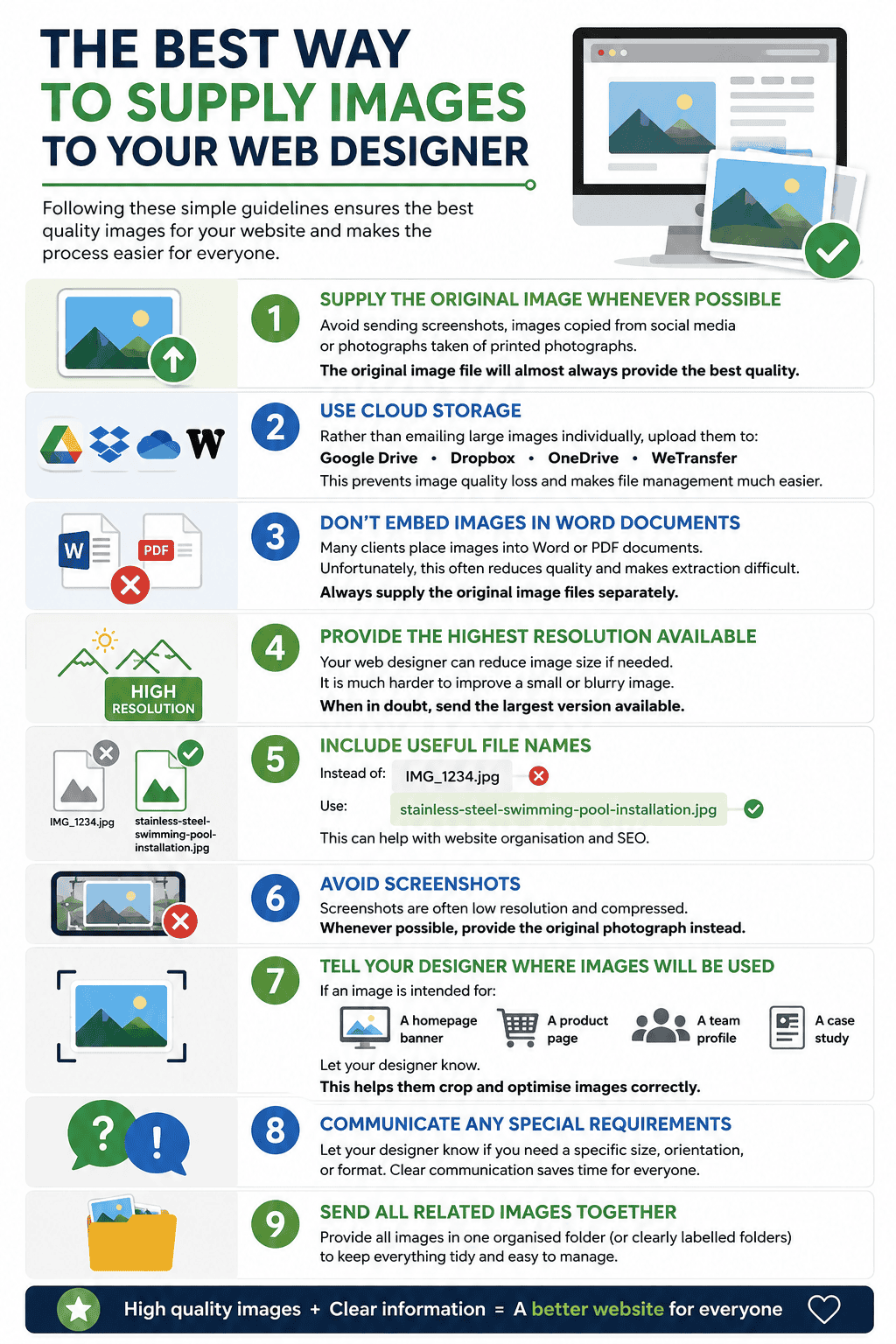
Supply the Original Image Whenever Possible
Avoid sending screenshots, images copied from social media or photographs taken of printed photographs.
The original image file will almost always provide the best quality.
Use Cloud Storage
Rather than emailing large images individually, upload them to:
- Google Drive – https://drive.google.com/
- Dropbox – https://www.dropbox.com/
- OneDrive – https://onedrive.live.com/
- WeTransfer – https://wetransfer.com/
This prevents image quality loss and makes file management much easier.
Don’t Embed Images in Word Documents
Many clients place images into Word or PDF documents.
Unfortunately, this often reduces quality and makes extraction difficult.
Always supply the original image files separately.
Provide the Highest Resolution Available
Your web designer can reduce image size if needed.
It is much harder to improve a small or blurry image.
When in doubt, send the largest version available.
Include Useful File Names
Instead of:
IMG_1234.jpg
Use:
stainless-steel-bollard-installation.jpg
high-tip-bucket-loading-woodchip.jpg
commercial-sewage-pump-repair.jpg
This can help with website organisation and SEO.
Avoid Screenshots
Screenshots are often low resolution and compressed.
Whenever possible, provide the original photograph instead.
Tell Your Designer Where Images Will Be Used
If an image is intended for:
- A homepage banner
- A product page
- A team profile
- A case study
Let your designer know.
This helps them crop and optimise images correctly.
Which HDR Image Format Should You Choose?
For most modern WordPress websites, our recommendations are straightforward:
Best Overall Option: AVIF – Offers the best combination of image quality, HDR support, small file sizes and future compatibility.
Best Compatibility Option: JPEG with Gain Maps – Provides the most reliable experience across a wide variety of devices.
Avoid for HDR Photography: PNG and standard WebP – Whilst useful for other purposes, they are not ideal for HDR image delivery.
Final Thoughts
HDR photography has the potential to make your website look significantly more impressive.
Visitors can enjoy richer colours, greater detail and a more immersive visual experience than traditional images can provide.
However, achieving these results requires more than simply uploading an HDR image to WordPress.
Choosing the right file format, preventing unnecessary image processing and following a sensible workflow are all essential.
For most businesses, AVIF currently represents the best balance of quality, performance and future-proofing.
With the correct setup, HDR imagery can help your website stand out and deliver a more engaging experience for your visitors.
Frequently Asked Questions About HDR File Types for WordPress
1. What is the best HDR image format for WordPress?
For most websites, AVIF is currently the best HDR image format. It offers excellent image quality, small file sizes and strong support for modern HDR displays whilst helping maintain fast page load speeds.
2. Can I upload HDR photos directly from my iPhone?
You can, but the results may not be ideal. iPhones typically save HDR photos as HEIC files, which are not well supported by web browsers. Most web designers will convert these images into a more suitable format such as AVIF or JPEG before publishing them.
3. Will WordPress automatically preserve HDR images?
No. By default, WordPress often resizes and reprocesses uploaded images. This can remove HDR information and reduce the image back to standard dynamic range unless specific steps are taken to preserve it.
4. Are HDR images larger than normal images?
Generally, yes. HDR images contain more information than standard images. However, modern formats such as AVIF can keep file sizes surprisingly small whilst maintaining excellent visual quality.
5. Is HDR worth using on a business website?
If high-quality imagery forms an important part of your marketing, HDR can provide a noticeable improvement in visual impact. Industries such as hospitality, architecture, luxury products, automotive and manufacturing often benefit from showcasing imagery in the highest possible quality.